Log your meals
from a photo.
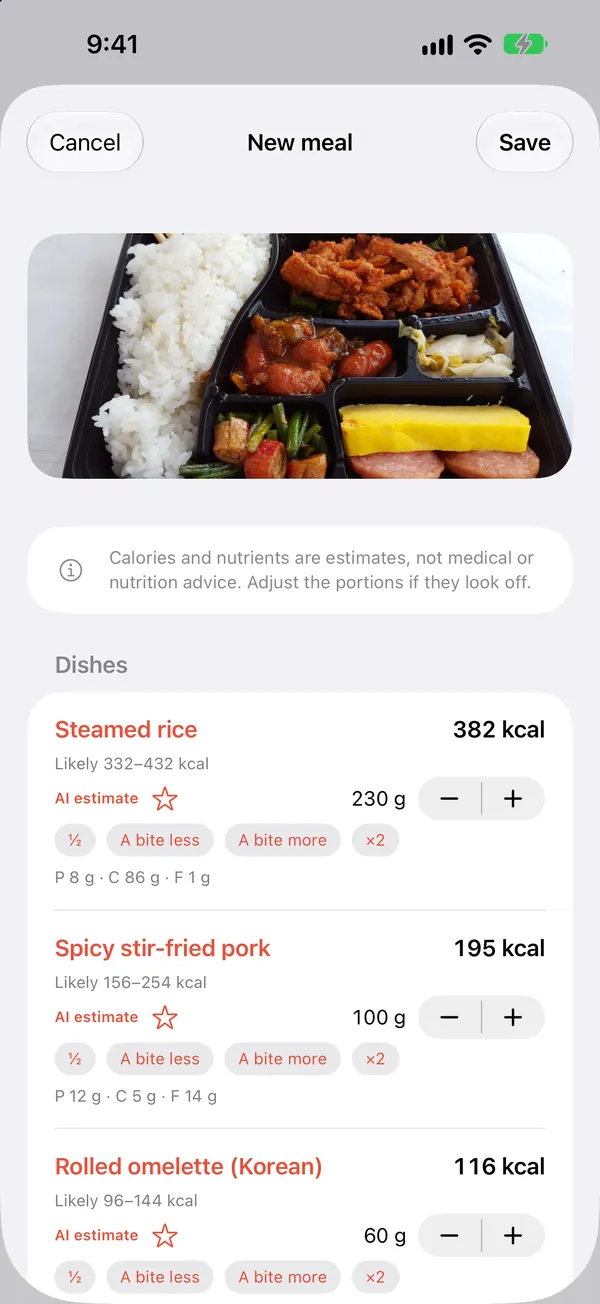
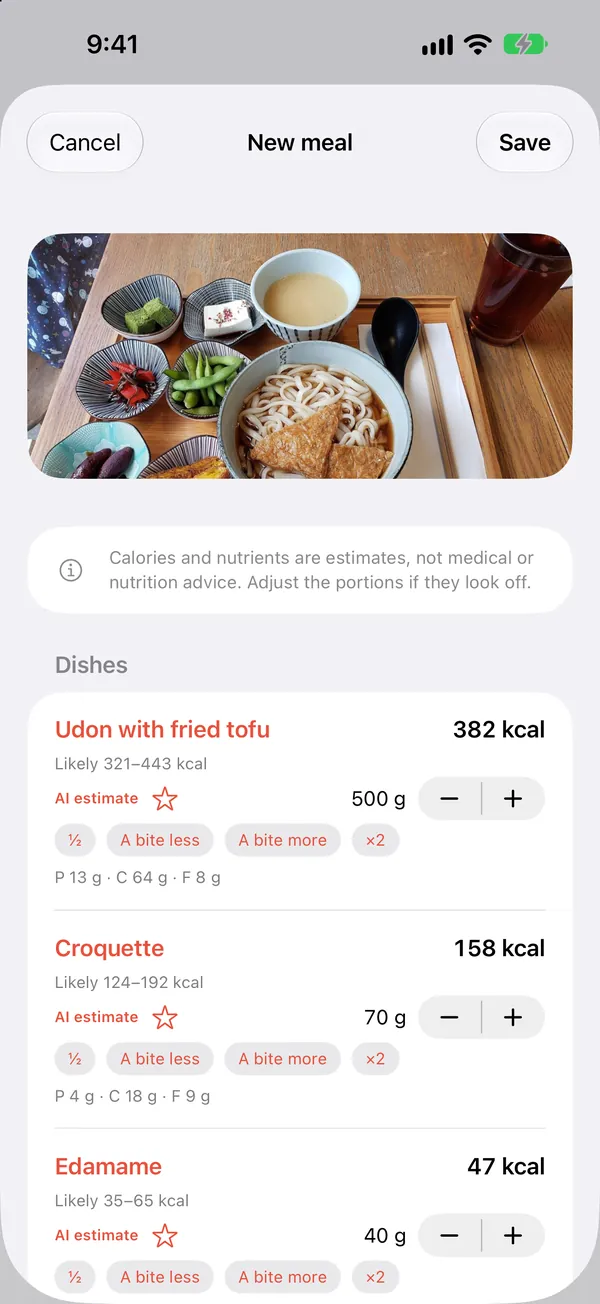
Snap a meal and get calorie and macro estimates for each dish. If a portion looks off, fix it in grams. These are estimates, not medical or nutrition advice.
 1 free AI scan a day
Mogu is an iPhone app that logs estimated calories, protein, carbs and fat for each dish from one photo of a meal. Mogu estimates Korean and Japanese meals dish by dish, including stews, side dishes, rice bowls, set meals and bento, and lets you change any portion in grams or replace a dish by searching for it. For a scan, the photo is downscaled on the iPhone, stripped of location and other metadata, and sent through Mogu's server to an AI service; the meal log is stored only on the iPhone. Mogu is free for 1 AI scan a day with unlimited manual entry, search, log and chart, and Mogu Pro costs $1.99 a week or $29.99 a year for up to 20 AI scans a day. Calories and nutrients are estimates, not medical or nutrition advice.
Calories, protein, carbs, fat
Adjust portions to match your meal
Manual entry is unlimited
English, Korean, Japanese
One photo,
every dish on its own
Stews and soups, a table of side dishes, rice bowls, set meals and bento are estimated dish by dish. Each dish also shows a likely range, such as “Likely 332–432 kcal”.
- Convenience-store foods like onigiri, too
- Typical values from the built-in food database help anchor each estimate
Portion looks off?
Fix it right there
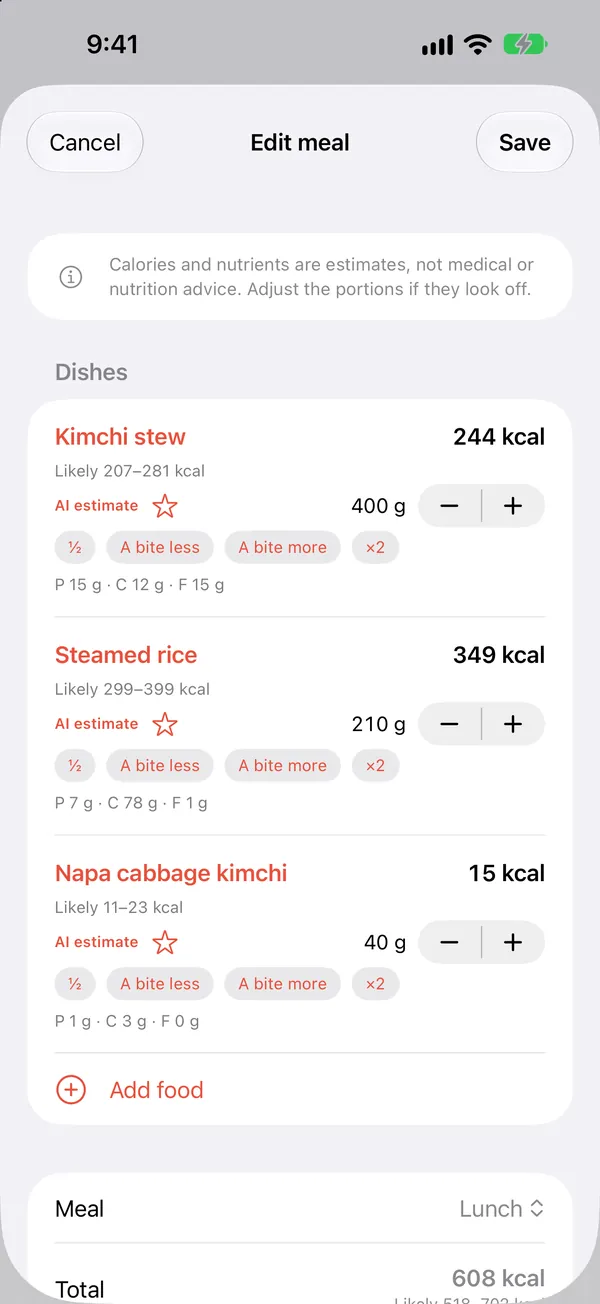
Raise or lower the estimated portion in grams and the calories and macros follow. Quick buttons halve it, double it, or take a bite less or a bite more.
- Add or remove dishes, or replace one with another
- Save as breakfast, lunch, dinner or a snack
Log without
a photo, too
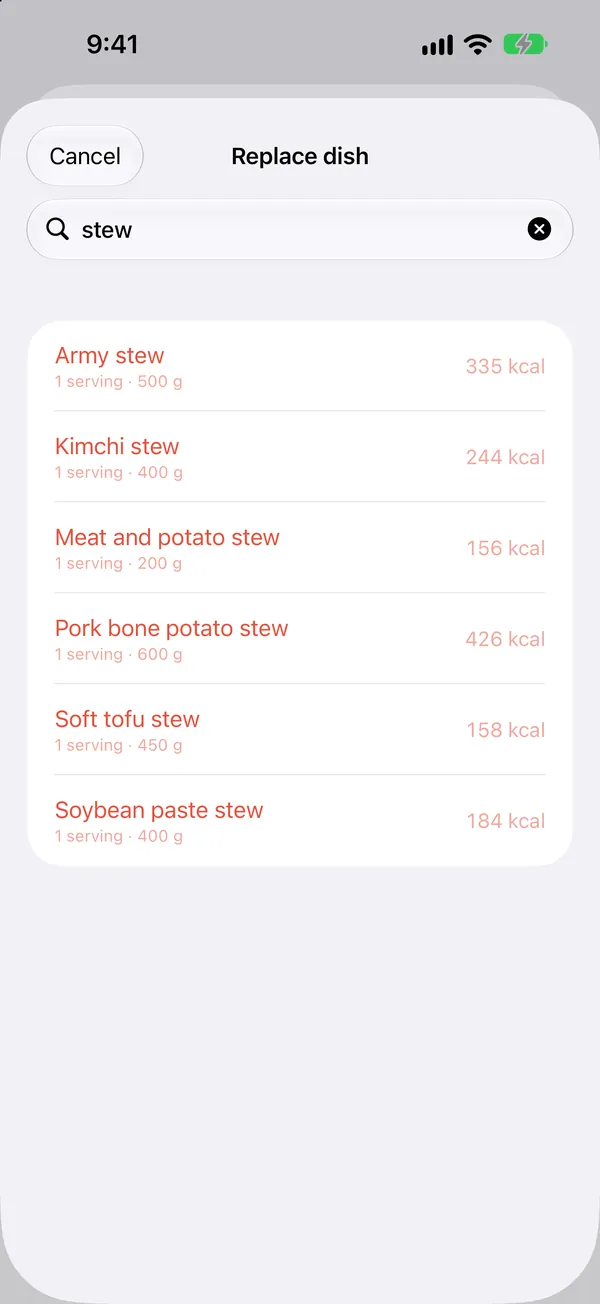
Search dishes by name and pick a per-serving value, or enter a name, calories and an amount by hand. Search and manual entry have no daily limit.
- Tap the star on a dish to keep it in Usual foods
A daily log and
a weekly chart
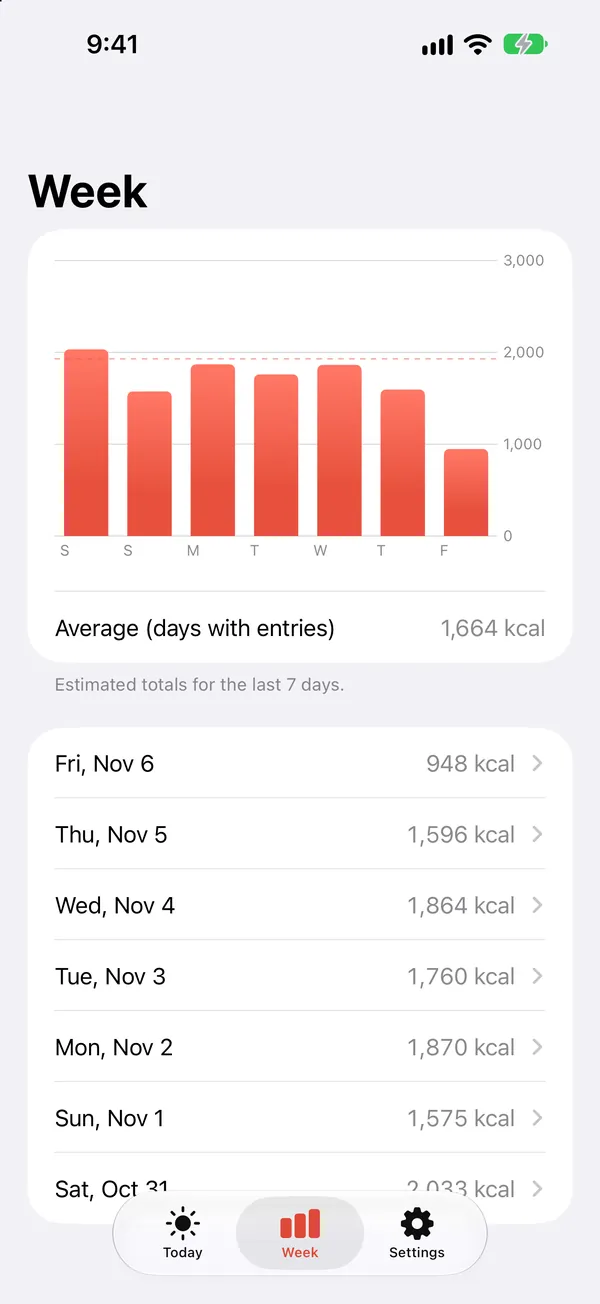
Saved meals build up day by day, and the chart shows estimated totals for the last 7 days. Open any past entry to correct it.
- Average across the days with entries
- The log and the chart are free
Three steps to log a meal
Snap or choose
Tap Snap to take a photo of your meal, or Photo to choose one. Add by hand works without a photo.
Check and correct
Look over the estimate for each dish and fix the portion or the dish if it's different.
Save
Saved meals show up in today's log and in the weekly chart.
Where your photo goes,
told plainly
Photo scans don't happen only on your iPhone. The photo is downscaled and stripped of location data on your iPhone, then sent through Mogu's server to an AI service. Photos without food are filtered out on your iPhone first and are never sent.
Downscaled on your iPhone to at most 1024 pixels, with location and other metadata removed.
Photos go to an AI service in the USA. The AI service may keep data for a limited time under its own policy.
Your meal log is stored only on your iPhone and is never sent.
No names or email addresses. A random account id, a device attestation key id and the subscription transaction are used only to apply the daily scan limits.
Log for free.
Go Pro only if you need more.
1 AI scan a day is free. Manual entry, search, the log and the chart stay free.
Free
- Unlimited manual entry and search
- Daily log and weekly chart
- Photos without food don't count
Mogu Pro Yearly
- Up to 20 AI scans a day
- Cancel any time
Mogu Pro Weekly
- Up to 20 AI scans a day
- Cancel any time
Unless you cancel at least 24 hours before the trial ends, the annual price is charged when it ends. Subscriptions renew at the same price and length unless auto-renew is turned off at least 24 hours before the end of the current period. Cancel in Settings › your name › Subscriptions. Prices may vary by country. Calories and nutrients are estimates, not medical or nutrition advice.
Common questions
How far can I trust the calorie numbers?
They are estimates from a photo and can differ from what you actually ate. That's why each dish shows a likely range, and you can correct the portion or the dish on the result screen. They are not medical or nutrition advice. If you have a health condition, are pregnant, or want to change your weight, talk to a doctor or a registered dietitian.
Can I log a convenience-store bento?
Yes. Snap the bento and Mogu estimates the rice and each side dish separately. If the package has a nutrition label, you can also enter its calories by hand.
How do I log a restaurant meal?
When the food arrives, fit the whole table in one photo. Once the estimates appear, change the portions to what you actually ate and save. If the menu lists calories, you can enter them by hand instead.
Are my photos sent to a server?
Yes. For a scan, the photo is downscaled on your iPhone to at most 1024 pixels, stripped of location and other metadata, then sent through Mogu's server to an AI service in the USA. Mogu doesn't store photos; the AI service may keep data for a limited time under its own policy. Your meal log is stored only on your iPhone.
Do I need an account?
No. There is no sign-in, and Mogu doesn't collect names or email addresses. A random account id, a device attestation key id and the subscription transaction are used only to apply the daily scan limits.
What can I do for free?
1 AI scan a day, reset at midnight Japan/Korea time. Photos without food don't count. Manual entry, search, the log and the chart are unlimited.
How much is Mogu Pro?
$1.99 a week or $29.99 a year, as an auto-renewable subscription. It raises AI scans to 20 a day. The annual plan starts with a 7-day free trial (once per Apple ID).
How do I cancel the subscription?
In the iPhone Settings app, tap your name, then Subscriptions. You keep access until the end of the period.
Do I have to take a photo every time?
No. You can search dishes by name or enter a name, calories and an amount by hand. Star the dishes you eat often to pick them quickly next time.
Which iPhones does Mogu support?
Any iPhone running iOS 17 or later. The app is available in English, Korean and Japanese.
Learn more

Start with today's meal
Get Mogu on the App Store.